A Peanut's Adventures
Interactive Epub - A Childrens book
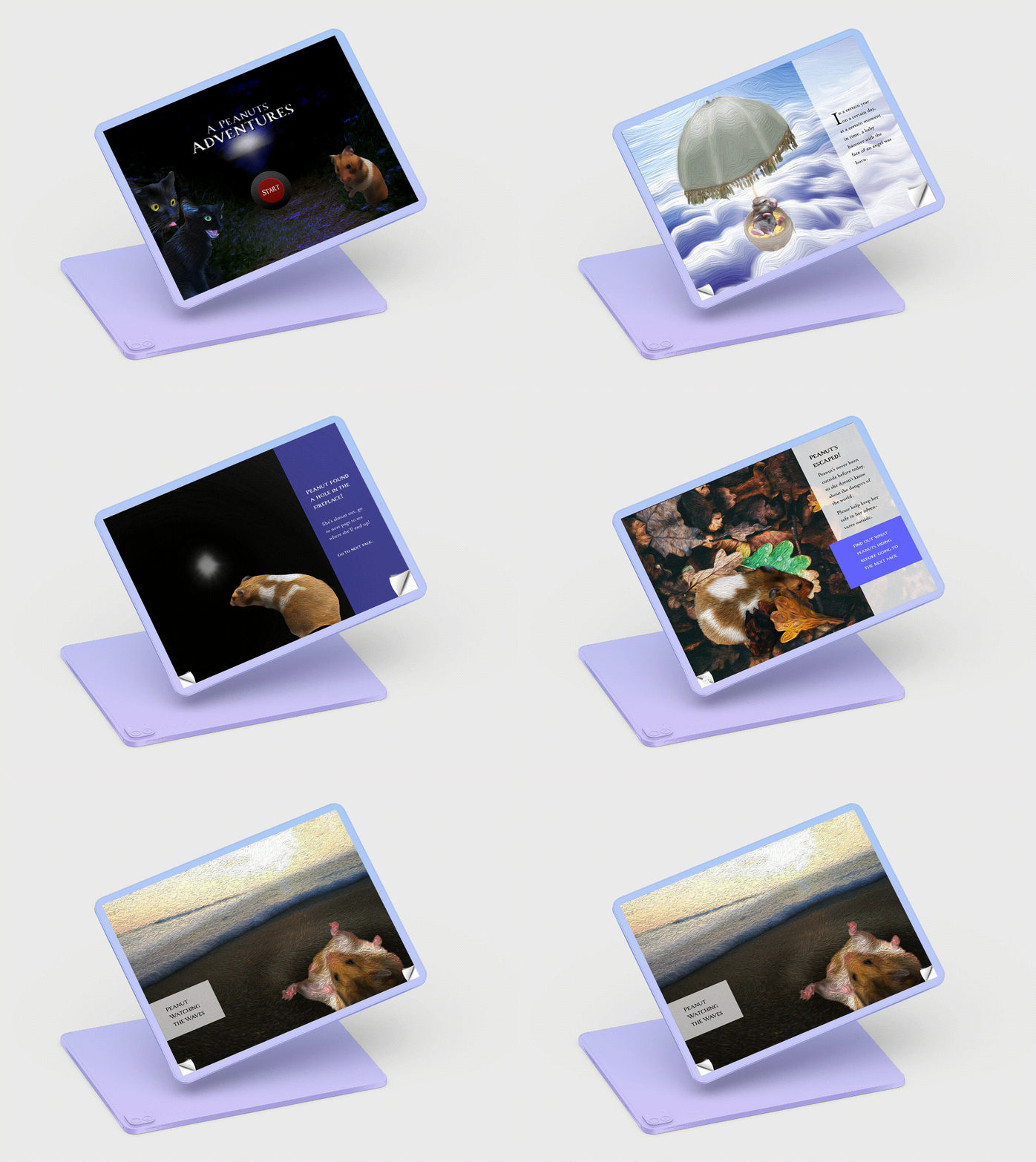
Please take note that this was built in Indesign and audio has weird glitches when played online. For viewing online, I recommend using Chrome. For the best experience, you can download the file below, though you should be aware of its size of over 200MB.
Ideation
Ideation: The Story of the Original Peanut
My EPUB project was inspired by a true story. At the beginning of the year in the month of september, my younger sister got herself a pet hamster. On the first day she brought her hamster, that she named Peanut, home, Peanut almost escaped. She'd opened the the cage for just a second, and peanut took the chance to escape. She ran extremely quickly, and before we knew it, she'd fit herself into a small hole that led inside of the fireplace. We all started immediately freaking out.
After a bit of panic, we pulled off a metal piece that was closing off the fire place and after taking a look inside and saw her at the very back, next to a different hole that led who knew where. She seemed very scared, so going in, we knew we had one chance to grab her. So we led her closer to us with a trail of food, then when the moment was right, we grabbed her!
Design Process
Step 1: Looking for Inspiration
My first step wasn’t to write out the script, but to look for free images to use. I did this because the images I browsed through each gave me different ideas about the direction of the story. Though I had a general idea of what I wanted to do (have the user help peanut out in different scenarios throughout the game) I wasn’t sure of the specifics.
One thing I did know was that I wanted my scenarios to be in nature, as hamsters are wild creatures so nature is their natural habitat.
As I continued looking, and came across various nature images, a story was slowly put together.
Step 2: Taking pictures
As my design would be based off of real characters (peanut and the cats) I wanted to use images of them. Though I had quite a few already, it still wasn’t enough for the amount of poses I needed from them. So, I proceeded to conduct multiple photoshoots of both Peanut and the cats, to get what I needed.
Step 3: Writing the Story
After gathering a lot of images, I had some ideas on the direction I wanted to take and I wanted to start out by showing the beginning of peanut, even before we brought her home from the store.
I thought about how she was born, to how she began her life with us, to her escape and finally, her experience in the outside world. For this, I wanted to let the user get involved with helping her when she was outside.
I also thought about how every great story needs a villain, and who better then Peanut’s natural enemies:my older sisters cats! After Jotting down these ideas, I made a script that I matched with the images I planned on using.
Step 4: Starting Indesign
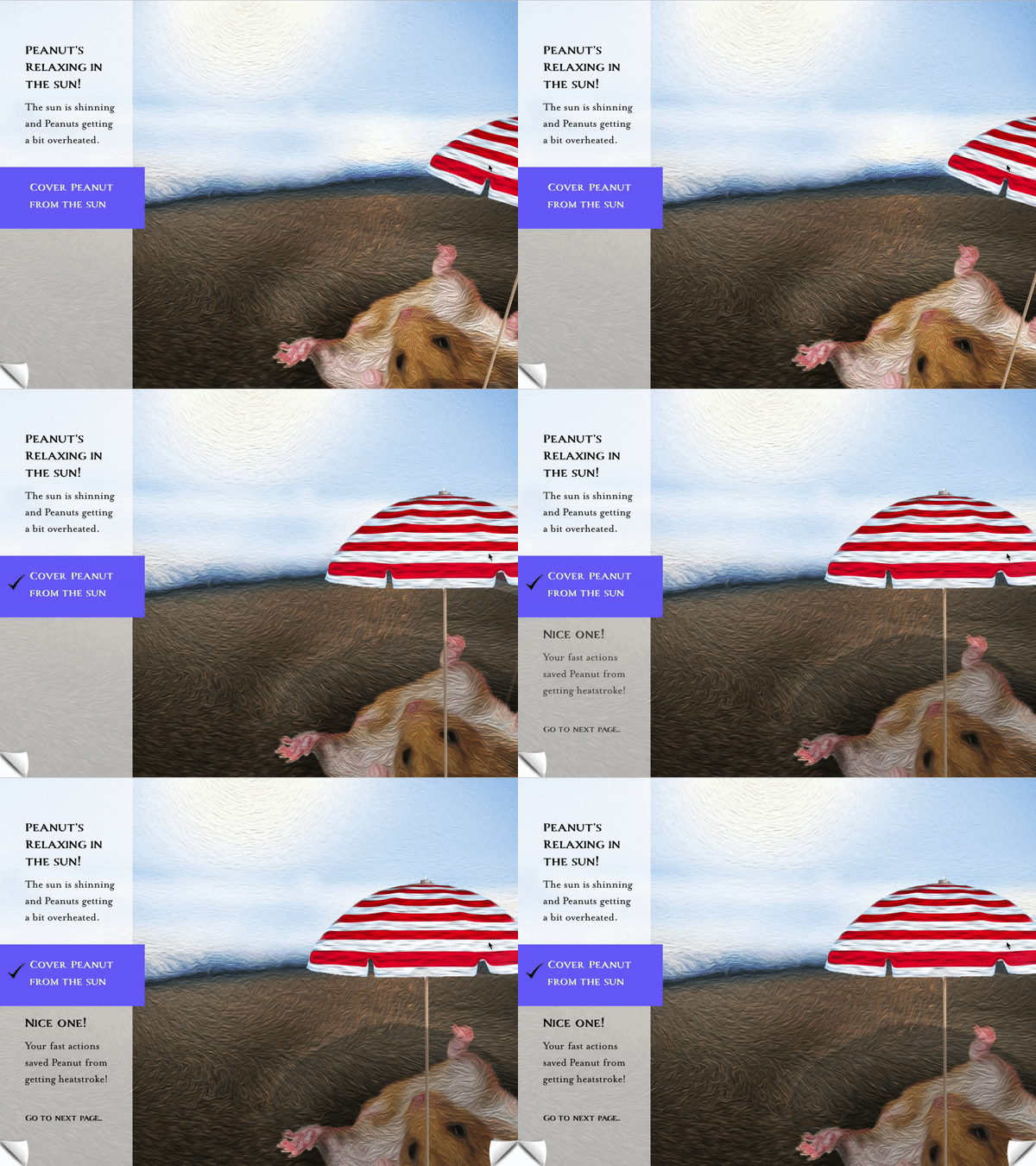
After creating the scenes on photoshop, I started putting things together on indesign. As I started creating animations with the images, there were constant adjustments needed from my images for the scenes to work. Getting the animations just right with only indesign was very tricky, as there were constant glitches with the software, the more that the story developed.
As the project progressed, I started creating more complex animations, added audio to all pages, much of which I put together on Adobe Audition. This stage took the longest, and is still an ongoing process. specifics.